
How to Add a Live Visitor Counter to Your Website
August 13, 2024 | 6,142 views | 11 min. read time
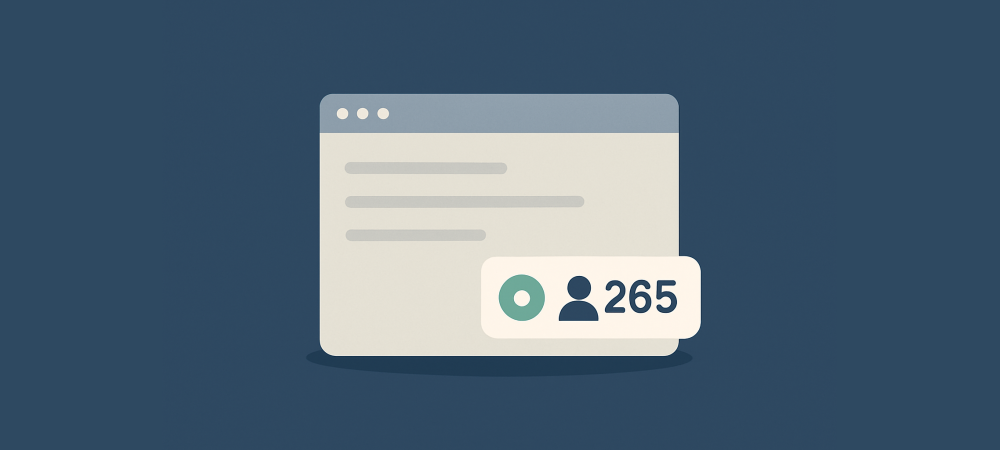
A live visitor counter shows how many people are viewing your site or a product right now — a small number that quietly signals your site is popular and active. It is one of the simplest forms of social proof to add, and on the right page it can nudge hesitant shoppers to act. This guide explains what a live visitor counter is, why it works, and exactly how to add one to your website the right way.
1. What a live visitor counter is
A live visitor counter is a small on-page element that displays the number of people currently viewing a page, a product, or the whole site — something like “24 people are viewing this now.” It updates in real time as visitors come and go, so it always reflects genuine, current activity rather than a static figure.
You will have seen these on travel, ticketing, and ecommerce sites, usually as a subtle badge near the product or the call to action. The idea is to make the presence of other shoppers visible, turning the invisible crowd on a busy page into a number a newcomer can actually see and respond to.
2. Why a live visitor counter works
A visitor counter draws on two forces at once. The first is social proof: seeing that other people are looking at the same product reassures a shopper that it is worth considering, because we naturally treat the interest of others as evidence of value. If lots of people are here, the thinking goes, there must be a good reason.
The second is gentle urgency. Knowing that others are viewing the same item — perhaps the same limited stock — adds a mild fear of missing out that encourages a shopper to decide now rather than later. Combined, these two effects can move someone from idle browsing toward action, which is why live counters appear so often on high-intent pages.
3. How to add a live visitor counter
Adding a live visitor counter is more straightforward than it sounds. Most website owners use a dedicated social-proof tool or a small script that tracks active sessions and displays the count automatically, rather than building one from scratch. These tools handle the real-time counting for you, so you simply install them and configure how the counter looks.
Tools like Proofly can add live visitor counts and related activity widgets from a single snippet of code, and run on a one-time purchase rather than a monthly subscription. Whatever tool you choose, the setup is usually the same: add the snippet or app to your site, pick which pages show the counter, and style it to match your brand so it feels like a natural part of the page.
4. Where to place it and what to show
Placement decides how much a counter helps. It works best on high-intent pages where a decision is being made — product pages, booking pages, and checkout — positioned near the item or the call to action so it reinforces the choice at the right moment. On a low-traffic informational page, a counter adds little and can even draw attention to how quiet things are.
Keep the display clear and unobtrusive. A simple, readable badge that states the count and what it refers to (“people viewing this product”) is enough; it should support the page, not dominate it. Match its style to your design so it reads as a genuine, integrated feature rather than a bolted-on gimmick.
5. Keep it honest
The entire value of a live visitor counter rests on it being real. A genuine count builds trust; a fabricated one destroys it the moment a shopper suspects the numbers are invented. Never use a tool that lets you inflate or fake visitor figures, because a counter that shows “30 people viewing” on an obviously quiet site fools no one and makes everything else on the page look dishonest too.
This honesty rule also shapes where a counter makes sense. If a page genuinely does not have many concurrent visitors, showing a small or empty count works against you — better to leave the counter off that page and use it only where real activity supports it. Show the truth, and only where the truth helps.
That discipline is what keeps a live counter an asset rather than a liability. Shoppers can sense when a number feels off, and a single doubtful figure can quietly undermine the credibility of everything else on the page, from your reviews to your guarantees. Honesty here is not just ethical — it is what makes the tactic work at all.
6. A worked example
Imagine an online store selling a limited run of a popular product. On a busy launch day, dozens of people are browsing the product page at once, but each individual visitor has no idea — to them, the page looks the same as any other. The store adds a live visitor counter near the buy button, so each shopper now sees that, say, 40 other people are viewing the item right now.
That single number changes the mood of the page. Shoppers who might have bookmarked the product to think about later feel a nudge to decide, because the visible crowd signals both popularity and the risk that limited stock could sell out. Completed purchases on that page rise, without any change to the traffic or the product itself.
The example also shows the limits. The same counter on a quiet weekday, showing only two or three viewers, would do nothing or even undercut confidence. The store wisely displays the counter only when genuine activity is high enough to help — proof that a live counter is a tool to use thoughtfully, not everywhere.
7. Best practices and mistakes to avoid
- Show real numbers only. Never fake or inflate the count; a discovered fake ruins trust across your whole site.
- Use it on high-intent, busy pages. Product, booking, and checkout pages with genuine activity are ideal; quiet pages are not.
- Keep it subtle. A clear, small badge supports the page; a large, flashing counter distracts and cheapens it.
- Hide it when counts are low. A tiny number does more harm than good, so only display the counter when real activity supports it.
Frequently asked questions
How do I add a live visitor counter to my website?
Use a social-proof tool or a small script that tracks active sessions and displays the count. Install the snippet or app, choose which pages show the counter, and style it to match your site.
Do live visitor counters increase sales?
They can, on high-intent pages with genuine activity, by combining social proof with gentle urgency. They add little, or can backfire, on quiet pages with low counts.
Should I ever fake the visitor count?
No. A fabricated count destroys trust the moment it is doubted. Only show real numbers, and only on pages where genuine activity supports them.
Conclusion
A live visitor counter is a small, effective way to make the invisible crowd on your busy pages visible — combining social proof with a nudge of urgency to move shoppers toward action. Add one with a simple tool, place it on high-intent pages near the decision, keep it subtle, and above all keep it honest. Used where real activity supports it, a live counter quietly turns genuine popularity into more sales.
Need more customers/visitors?
Use Proofly to add high-converting widgets for your website to boost conversion. No creditcard required.
Get started now!Always be up-to-date with Proofly.
The amount of people using your website on mobile devices rapidly increases. Make sure your websites are fully responsive!
58.442%
Mobile devices
This might be useful for you too:

How to Increase Your Social Credibility and Gain More Followers
On social media, credibility is everything. People follow, trust, and buy from accounts that feel authentic and worth their attention — and ignore the ones that do not. Building that credibility is what turns...
2022-03-26
Read more

Review Schema Markup: How to Get Your Ratings Into Search and AI Answers
You have great reviews — but do search engines and AI assistants know it? Star ratings that show up directly in Google results, and the ratings that AI answers cite when recommending products, do not happen by...
2026-06-06
Read more

Social Proof for B2B and Lead Generation Sites
B2B is where a lot of social proof advice falls apart. There is no “buy now,” no steady stream of orders, and a sales cycle that runs for weeks or months. But trust matters more in B2B than almost anywhe...
2025-10-24
Read more
Ready to use social-proof too?
You can use Proofly within 5 minutes on your own website absolutely free!
Set-up in 5 minutes Over 25,000 satisfied customers No monthly subscription
4.7/5 customer satisfaction
Get started now!
a few thousand others...