
Trust Badges: Do They Really Increase Conversions?
March 2, 2023 | 12,751 views | 12 min. read time
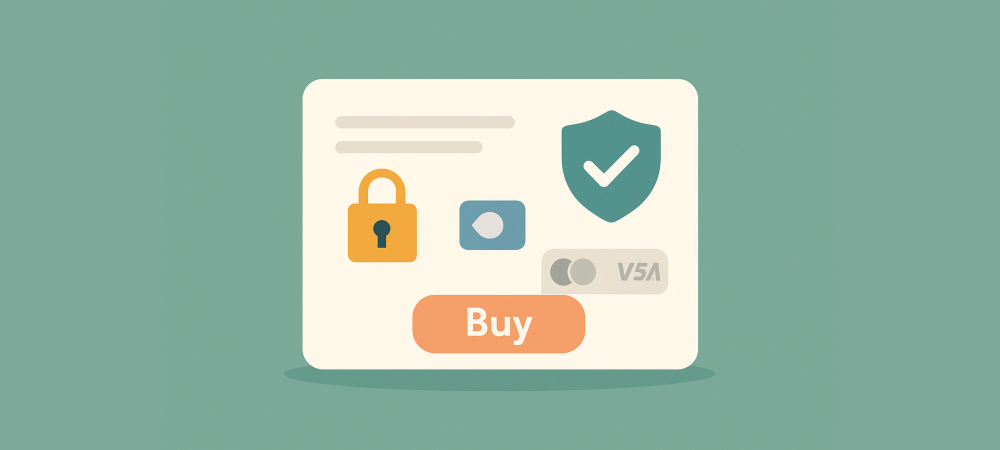
Trust badges are everywhere online — the little security seals, payment logos, and guarantee icons clustered around checkout buttons. They promise to reassure nervous buyers and lift conversions, but do they actually work, or are they just visual clutter? The honest answer is: it depends on which badges, where they sit, and whether they are real. This guide explains what trust badges are, what the evidence says, and how to use them so they genuinely increase conversions rather than just decorate your page.
1. What trust badges are
A trust badge is a small visual symbol that signals a website is safe, legitimate, or reliable. They come in several forms — security seals, payment-provider logos, money-back guarantees, and third-party endorsements — but they all do the same job: reassure a visitor at a moment of doubt, usually right before they enter payment details or click buy.
Badges work as mental shortcuts. A shopper cannot personally verify that your checkout is secure, so a recognised security seal stands in for that verification. In a few pixels, a badge answers a worry the visitor might not even consciously articulate: is it safe to give this site my card?
It helps to remember what badges are not. They are not a substitute for actually being trustworthy — they are a shorthand that communicates trustworthiness a visitor cannot otherwise verify at a glance. That distinction matters, because a badge only earns its keep by quickly signalling something that is genuinely true about your site. The symbol works when there is real substance behind it, and rings hollow when there is not.
2. Do trust badges actually work?
The evidence and the psychology both point the same way: the right trust badges, in the right place, can meaningfully reduce hesitation and cart abandonment. Surveys of online shoppers repeatedly find that a significant share have abandoned a purchase specifically because they did not feel the site was secure, and that recognisable security badges are among the elements that make them feel safe enough to continue.
But the effect is not magic, and it is not universal. A badge only helps if the visitor recognises and believes it. Familiar payment logos and well-known security seals carry weight; obscure or generic ones carry little. And badges cannot rescue a site that fails on the basics — if the design looks amateurish or the price feels hidden, no seal will fix that underlying doubt.
It is also worth separating correlation from cause. A store that invests in genuine security and displays a real seal tends to be more professional across the board, so some of the lift credited to the badge actually comes from the overall trustworthiness it reflects. That is not a reason to skip badges — it is a reason to make sure the badge sits on top of a genuinely secure, well-built checkout, so the reassurance it offers is true rather than cosmetic.
3. The main types of trust badge
Not all badges do the same job. The main categories are:
- Security badges: SSL and security-scan seals that signal the site protects data. Most relevant at checkout.
- Payment badges: logos of recognised card networks and payment providers, which reassure by association with names the buyer already trusts.
- Guarantee badges: money-back, satisfaction, or free-returns icons that shift risk away from the buyer.
- Third-party endorsements: seals from review platforms, certifications, or industry bodies that lend outside credibility.
The most effective sites combine a few of these so that different worries — data safety, payment safety, and buyer’s risk — are all answered at once.
4. Where to place trust badges
Placement is as important as the badge itself. The highest-impact spot is the checkout, right where fear of fraud peaks and carts are abandoned: near the payment fields and the final buy button. A security or payment badge here addresses the exact anxiety the visitor is feeling at that instant.
Badges also earn their place elsewhere. Guarantee icons work well on product pages, where they reduce the perceived risk of buying. Third-party review seals suit the homepage, lending broad credibility on arrival. The rule is to put each badge where its particular reassurance answers a doubt the visitor is likely to have at that step.
5. Trust badge best practices
To make badges help rather than clutter, follow a few principles. Use recognisable badges the visitor already trusts — familiarity is what gives them power. Keep them clean and consistent with your design so they look intentional, not tacked on. And use a focused set rather than plastering every seal you can find; a few credible badges read as confident, while a dozen read as desperate.
Above all, make sure every badge is genuine and current. If you display a security seal, the underlying security must be real and up to date. Badges are a promise, and like any promise, they only build trust if they hold up to scrutiny.
It also pays to test rather than assume. The impact of a badge varies by audience, product, and price point, so add or move one and compare checkout completion before and after. Some stores find a single well-placed security seal lifts conversions noticeably; others see little change because their visitors already felt safe. Let your own numbers, not a general rule, decide which badges stay and where they sit.
6. Mistakes that undermine trust badges
Badges can backfire when misused:
- Fake or expired seals. Displaying a security badge you do not actually hold is dishonest and, if discovered, far more damaging than showing none.
- Too many badges. A wall of seals overwhelms the eye and can even look suspicious, as if you are trying too hard to seem legitimate.
- Obscure badges. A seal no one recognises adds no reassurance; it is just noise.
- Badges hiding a weak site. If the real problem is design, pricing, or a clunky checkout, badges only paper over it.
7. Which badges matter most
If you are unsure where to start, prioritise the badges that address the biggest fears at the point of payment: a recognised security seal and familiar payment logos at checkout, backed by a clear guarantee. These directly answer the two questions that stop most purchases — is my data safe? and what if the product is wrong? Add a reputable third-party review seal for broader credibility, and you have covered the essentials without cluttering the page.
Frequently asked questions
Do trust badges really increase conversions?
They can, especially at checkout, by reducing the fear of fraud that causes cart abandonment. The lift depends on using recognisable, genuine badges in the right place — they help most when security is the visitor’s main doubt.
Where should I put trust badges?
Primarily at checkout, near the payment fields and buy button. Guarantee badges also work on product pages, and review seals on the homepage.
Can too many trust badges hurt?
Yes. A cluttered wall of seals can overwhelm visitors and even look suspicious. A small set of recognisable, relevant badges is more convincing than many obscure ones.
Conclusion
Trust badges do work — but only when they are recognisable, genuine, and placed where doubt lives. Use a focused set of security, payment, and guarantee badges at the moments that matter, keep them real and current, and resist the urge to over-decorate. Done right, trust badges quietly remove the last hesitation before a purchase; done wrong, they are clutter at best and a broken promise at worst.
Need more customers/visitors?
Use Proofly to add high-converting widgets for your website to boost conversion. No creditcard required.
Get started now!Always be up-to-date with Proofly.
The amount of people using your website on mobile devices rapidly increases. Make sure your websites are fully responsive!
58.442%
Mobile devices
This might be useful for you too:
Social Proof and the EU Digital Fairness Act: What Changes for Online Stores
The EU has signalled that a Digital Fairness Act is coming, aimed squarely at the manipulative design tricks that have crept into online shopping — including fake urgency, misleading scarcity, and deceptive co...
2026-07-20
Read more
Email Popups That Do Not Annoy: Best Practices for 2024
Email popups have a bad reputation, and often deserve it — nothing sours a first impression like a full-screen demand for your address the second you land on a site. Yet done well, email popups are one of the...
2024-10-10
Read more
Checkout Page Optimization: 12 Ways to Stop Losing Sales
The checkout page is where sales are won or lost. A shopper who reaches it has already decided they want to buy — so every visitor who abandons here is a sale you were moments away from making. Small problems...
2024-01-28
Read more
Ready to use social-proof too?
You can use Proofly within 5 minutes on your own website absolutely free!
Set-up in 5 minutes Over 25,000 satisfied customers No monthly subscription
4.7/5 customer satisfaction
Get started now!
a few thousand others...